---
title: Odd Behavior With Transitions
canonical: "https://jpshlk.com/blog/odd-behavior-with-transitions/"
pubDate: "2023-11-25T00:00:00.000Z"
author: Josh Pasholk
description: "After forking the theme and adding my own content, there's super glitchy transitions when the site is live."
tags: [web-development, astro, bugs]
---
import Link from "../../components/Link.astro";
## What's with the glitchy transitions?
After forking this awesome theme from here, then throwing it at Netlify, I noticed some odd issues with the animation for page transitions. Sometimes the site would glitch out when clicking through to another page.
After looking into it a bit I posted about it in the Astro Discord, and someone mentioned that there isn't a `` tag in the `` of the site, as per Astro's Docs. That seemed to make sense, so I started looking through the repo code and noticed that there actually isn't a `` tag anywhere to be found. This is incredibly odd because the generated `HTML` definitely contains a ``. 🤨
I know that I am super new to Astro and still learning when it comes to web development, but I know that the `` tag is coming from _somewhere_... My best guess is that either there's something I don't know about how Astro generates the markup, or that if you happen to throw meta tags at a browser it will try and wrap them in a head tag anyway.
After some more troubleshooting, I noticed that certain pages weren't affected by the glitch...
## Looks like images may be the problem.
Wait... How come this post didn't do that then?
I put that image in the `public` folder instead of the `src/assets`.
My guess is it's something to do with ``, and how Astro imports the image in `src`.
## Reporting the bug
I reported as an issue here:
> **Describe the bug**
> Okay, this is a wierd one...
> After forking the theme and starting to add my own content I noticed some odd behavior. When clicking on a link to a post or page that has an image in it the transition animations glitch out, causing the page to flicker in Safari and the mobile nav to fly by. In Chrome it doesn't flash, just does the nav thing...
> **To Reproduce**
> 1. Fork the theme.
> 2. Add a new page with an image in `src`, in my case `src/assets`,
> 3. Then either build it through Netlify or run `npm run build`, then run `npm run preview`.
> 4. Click a link to one of those pages.
> 5. It should glitch like I described.
> **Expected behavior**
> Images should be able to be put in `src` so Astro can process them with the `` component.
> **Screenshots**
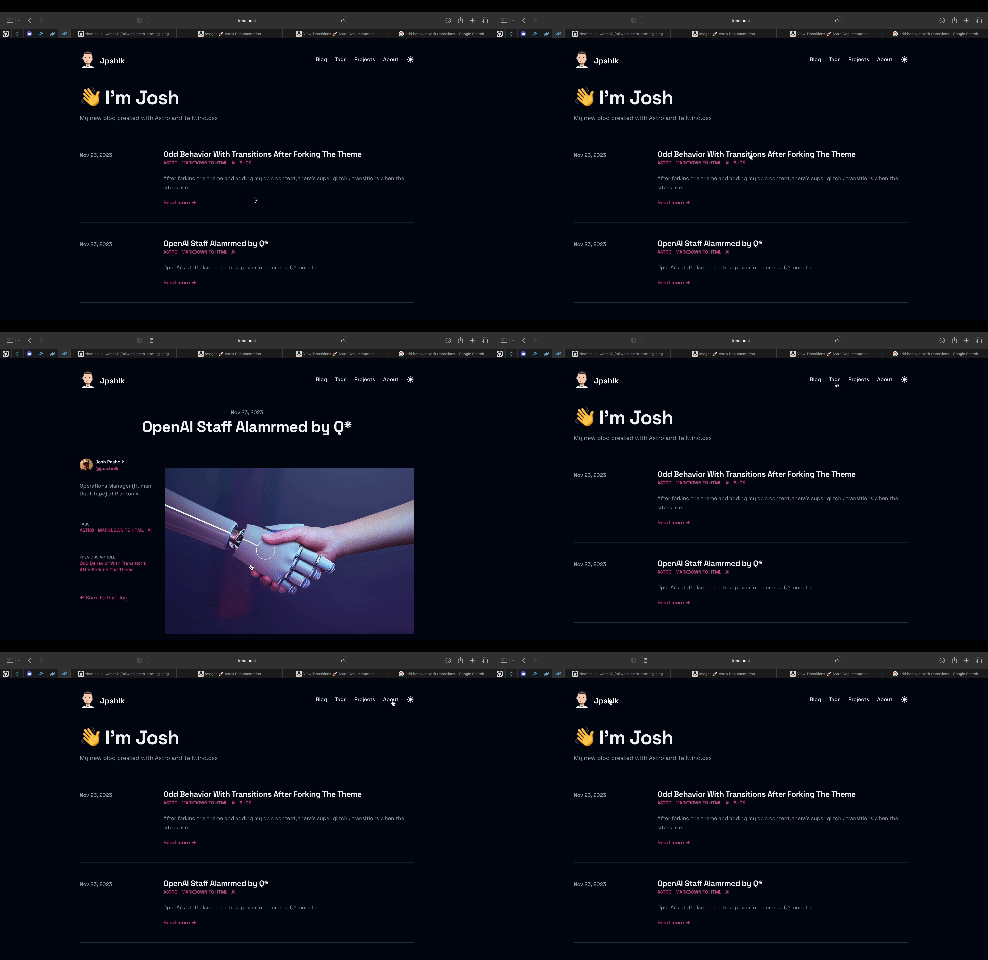
> **Desktop (please complete the following information):**
> - OS: MacOS - Ventura 13.5
> - Browser: Safari - 16.6 (18615.3.12.11.2), Chrome - 119.0.6045.159
> **Smartphone (please complete the following information):**
> - Device: iPhone 13 Pro Max
> - OS: iOS 17.2
> - Browser Safari - 17
> **Additional context**
> I documented this for my ongoing journey about learning webdev as a complete noob [here](https://jpshlk.com/blog/odd-behavior-with-transitions/).
> Also, I couldn't find the `` to check if the `` component was in there. I found it under the `html` tag in `RootLayout` though. I thought it was supposed to go in the head, per the Astro Docs. Any insight on this?
>Thanks again for the awesome theme and for fixing the last issue I reported!
I hope he has some time to check it out soon, because I'm kinda stumped on how to proceed.
If I add another `` tag to the `BaseHead` component would it produce two different heads and then mess things up? 🤔
## Update
What I ended up having to do was wrapping the `` tag around both ```` and ```` and then everything worked, like this:
```html
```
If I didn't include the `` component, then the layout didn't work right on mobile. For some reason, it zoomed the page out and the content shank down to about 60% of the window. Now I can proceed to move my images to `src` then Astro can properly process them with the `` component.
## Another Update
He fixed it with this commit here.
Thanks for reading and I hope this helps. I'll definetly let this post stay up as part of my journey relearning web development.
Peace! ✌️